


Clean Sweep Junk Files
3.647.00 Reviews
App Specs
- Version
- 1.0.1
- Updated On
- License
- Free
- Downloads
- 100,000+
- Developer
- JHS Freight
- Categories
- Tools
- Platform
- Android
Screenshots
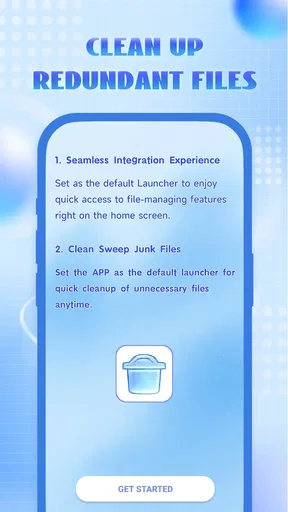
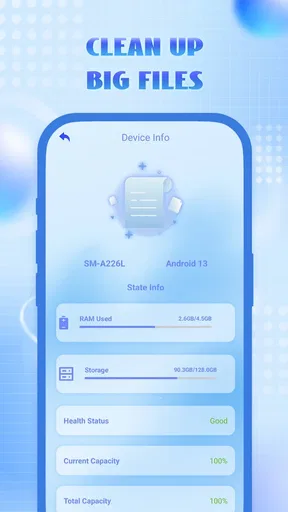
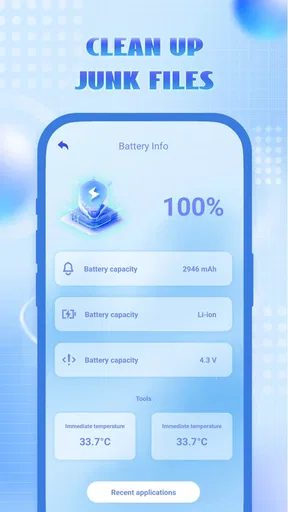
 Analysis by AppCompare
My first impression of Clean Sweep Junk Files was that it aims to make phone cleanup feel approachable rather than technical. That matters with a tool that asks you to review storage and decide what to remove: a clear route through the task is more useful than a pile of unfamiliar labels. I found the idea most appealing for occasional tidying, when I want to look over clutter without turning phone maintenance into a project.
Why the first week feels easy
During an initial try, the simple-cleaner approach has an obvious draw. A quick check can give a user a reason to pause and look at what is occupying space, while a more thorough pass sounds useful when a device has accumulated odds and ends over time. For someone who has never explored storage settings, that guided feeling may be less intimidating than searching through system menus and guessing what is safe to remove.
The useful habit is to treat any scan as an invitation to review, not as an instruction to delete everything it finds. I would make a small pass, inspect the proposed cleanup, and remove only items I recognize as disposable. That extra moment is worthwhile on a phone that holds travel documents, work files, downloaded media, or app data I may need later. A cleaner screen is not worth losing something important.
What a cleanup routine can realistically do
Cleaner apps are often described as a way to make a phone faster, but I would keep expectations grounded. Clearing unnecessary files can free storage, which is helpful if a device is running short on room. It does not automatically solve every cause of sluggish performance, and a phone that feels slow for other reasons may need a different fix. I see cleanup as housekeeping, not a cure-all or a substitute for checking the device’s own storage controls.
There is also a practical distinction between clutter and data that an app may rebuild. Cache files can be created again as you use apps, so removing them may offer temporary breathing room rather than a permanent reduction in storage use. I would avoid repeatedly cleaning just to chase a feeling of freshness. If the same material returns, the lasting answer may be to review downloads, offline media, or apps you no longer use rather than run another scan straight away.
A good routine is occasional and deliberate: check storage when space is genuinely tight, look at the items presented, and then decide whether cleanup is worth doing. That makes the app a prompt for better maintenance rather than a daily ritual. It also helps avoid the common trap of treating every suggested deletion as necessary.
A realistic use case, and where to be careful
Imagine getting a warning that your phone is running low on space just before a weekend trip. You may want room for photos, maps, or downloaded entertainment, but you do not want to remove something you will need on the road. In that situation, I would use a cleaner as a review step: inspect what it identifies, clear only familiar temporary clutter, then check the phone’s storage again before removing anything more personal. The useful part is the chance to make an informed choice, not the promise of a one-tap miracle.
Worth Reading Before You Choose

EA SPORTS FC Mobile 26 Is a Bigger Football Game, but It Takes Time

Flipboard Shows What News Apps Must Do Beyond the Feed

Switching to Android Auto Means Rethinking Your Driving Routine

Google Calendar Makes a Crowded Week Easier to Manage

Ludo King Makes the Most of the Minutes Between Plans

Baby Panda World Brings Quick Play to Modern Phones, but Its Game Library Feels Busy
This kind of tool is best suited to someone who wants a straightforward way to inspect and tidy a device, especially if system storage menus feel confusing. It is less suitable for a user who expects a cleaner to keep a phone permanently fast or to make all storage decisions automatically. If you already know how to review files through your phone’s built-in settings, those controls may be enough and can make it easier to see exactly where your space is going.
I would also be cautious on a shared or work phone. Before deleting anything, consider whether another person relies on the device or whether an app stores information locally. A preview is useful only if you take time to read it; it is not a guarantee that every suggested item is unimportant. When the description of a file is unclear, leaving it alone is the sensible choice.
Where it fits among cleaner alternatives
Compared with using a phone’s built-in storage tools, a dedicated cleaner can feel more focused and may be easier for a casual user to approach. System settings, on the other hand, are often the better place for careful, item-by-item decisions or for understanding which apps are taking up room. I would choose based on the task: use a cleaner to prompt a quick review, and use the operating system’s controls when I need a more precise explanation or want to manage a particular app or file.
There is a trade-off in convenience. A simplified cleanup flow can reduce friction, but it may also encourage people to trust a broad category such as “junk” without thinking about what is inside it. My rule is to value visibility over speed: if I cannot tell what an item is or why it is safe to remove, I do not remove it just to finish the scan. That small check is especially important for downloads and app-related files that may be useful offline.
For a user who wants extensive control over individual folders, a file manager may be a better companion than a cleaner. For someone who only needs to identify and remove obvious clutter, a focused cleaning app may feel less demanding. Neither approach replaces regular choices about what to keep; the lasting gain comes from not letting unused material accumulate again.
Getting Started with Clean Sweep Junk Files
First things first, downloading the app from the store was a breeze. It was quick to install, and before I knew it, I was diving into the world of digital organization. The interface is clean and intuitive, which is a breath of fresh air, especially when dealing with apps that aim to simplify your life.
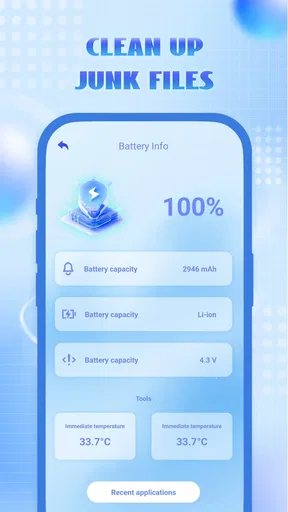
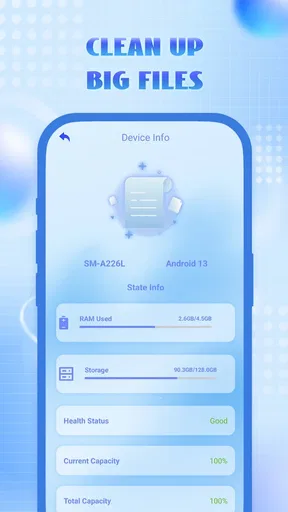
Once you fire up the app, it greets you with a neat dashboard, offering a snapshot of your phone’s memory usage. Clean Sweep Junk Files doesn’t just throw a bunch of numbers at you; it breaks down the data into manageable chunks. This makes it super easy to identify what's hogging space on your device.
The Features That Stand Out
One of the first features that caught my eye was the “Quick Scan” option. In just a few taps, the app scans through your phone, identifying all those pesky junk files that are just sitting there, taking up precious space. I was pleasantly surprised by how fast the scan was completed—it didn’t leave me hanging.
Another nifty feature is the “Deep Clean” mode. This goes beyond the basics, diving deep into your phone's storage to find hidden cache files, unused apps, and redundant data. It’s like having a personal cleaning crew for your phone.
For those worried about deleting something important, the app offers a preview option. You can check what’s about to be cleaned, so there are no nasty surprises. I found this feature particularly reassuring, as I could ensure that nothing vital was getting the chop.
User Experience and Performance
Using Clean Sweep Junk Files feels like a walk in the park. It’s user-friendly, and even if tech isn’t your thing, you’ll find your way around with ease. The app doesn’t bombard you with ads, which is a huge plus in my book. Nothing kills the vibe faster than being interrupted by pop-ups when you’re in the zone.
Performance-wise, the app runs smoothly. It doesn’t lag or crash, which speaks volumes about its reliability. After running a full clean, my phone felt lighter and more responsive. It was like giving my device a much-needed breath of fresh air.
Deciding whether it earns a place on your phone
Clean Sweep Junk Files is a free tools app from JHS Freight, with an Everyone age rating. It has an average rating of 3.6 from over 360 ratings, and more than 100,000 installs. The current release is version 1.0.1, and it is listed for devices running Android 10 or later. Those details make it easy to try if the cleanup approach suits you, but a modest average rating is a reminder to judge it by your own needs rather than assume it will be indispensable.
Its value after the first week depends on whether you have a recurring storage problem. If you regularly download files, keep offline media, or install and remove apps, a periodic review can be useful. If your phone rarely runs low on space, you may open the app once, clear what you are comfortable removing, and then have little reason to return for a while. That is not necessarily a flaw: a maintenance tool should not need to become a daily destination.
The main source of fatigue with any cleaner is repetition. A scan can feel satisfying at first, but if it keeps surfacing familiar categories without addressing what is creating the clutter, the process can become busywork. I would not run it on a fixed schedule just because the option exists. Check storage when there is a real reason, and make the app earn the next visit by helping you make a useful decision.
There is also a difference between freeing space and maintaining a phone. A cleanup may remove material you no longer need, while long-term tidiness comes from reviewing large downloads, keeping only apps you use, and being thoughtful about offline content. Clean Sweep can sit inside that routine, but it cannot decide what matters to you. The preview step is most valuable when it supports that personal judgment instead of replacing it.
So, is it worth keeping installed? I would keep it if a simple cleaner helps you notice storage issues and you are willing to review suggested removals carefully. I would skip it if you are looking for automatic, permanent optimization, or if your built-in storage tools already give you all the control you need. For a cautious user who wants an approachable occasional check, it can be a convenient option; for someone who prefers precise file management, system settings or a file manager may be a better fit.
Final Thoughts
All in all, Clean Sweep Junk Files is a fantastic tool for anyone looking to optimize their phone’s performance. It’s straightforward, efficient, and genuinely makes a difference. If your phone is in need of a digital detox, I’d highly recommend giving this app a shot.
So, if you’re ready to experience a cleaner, faster phone, head over to the app store and download Clean Sweep Junk Files. Trust me, your phone will thank you!
Pros
- Efficiently clears cache to boost device speed.
- User-friendly interface with simple navigation.
- Customizable cleaning schedules for convenience.
- Supports multiple languages for global users.
- Minimal impact on battery life during use.
Cons
- Contains ads that may interrupt user experience.
- Limited features in free version.
- Occasional false positives in file detection.
- Lacks integration with cloud storage services.
- No customer support for quick issue resolution.
FAQs for Clean Sweep Junk Files
What is Clean Sweep Junk Files and how does it work?
Clean Sweep Junk Files is a utility app designed to optimize your device by removing unnecessary files that clutter your storage. It scans your smartphone for cache files, temporary files, and other redundant data that can slow down performance. By cleaning these files, it helps improve speed and free up valuable storage space.
Is Clean Sweep Junk Files safe to use on my device?
Yes, Clean Sweep Junk Files is safe to use. The app only targets files that are recognized as unnecessary for system operation, ensuring that no critical data is deleted. It includes a safety net feature where users can review files before they are removed, providing an extra layer of assurance.
How often should I use Clean Sweep Junk Files to maintain my device's performance?
For optimal performance, it's recommended to use Clean Sweep Junk Files at least once a week. Regular cleaning helps prevent the accumulation of junk files, maintaining your device's speed and responsiveness. However, the frequency can be adjusted based on your usage patterns and storage needs.
Does Clean Sweep Junk Files affect battery life?
Clean Sweep Junk Files is designed to be efficient and minimally impact battery life. The app operates in a lightweight manner, performing quick scans and cleanups. Additionally, by removing unnecessary background processes and files, it may even contribute to improved battery performance over time.
Can Clean Sweep Junk Files recover deleted files?
No, Clean Sweep Junk Files does not support file recovery. Its primary function is to remove unwanted files to free up storage. Users are encouraged to carefully review the files selected for deletion to ensure that no important data is accidentally removed. For recovery needs, consider using a dedicated recovery app.


